関連動画を非表示にしてブログに貼る方法  gooブログ 備忘録


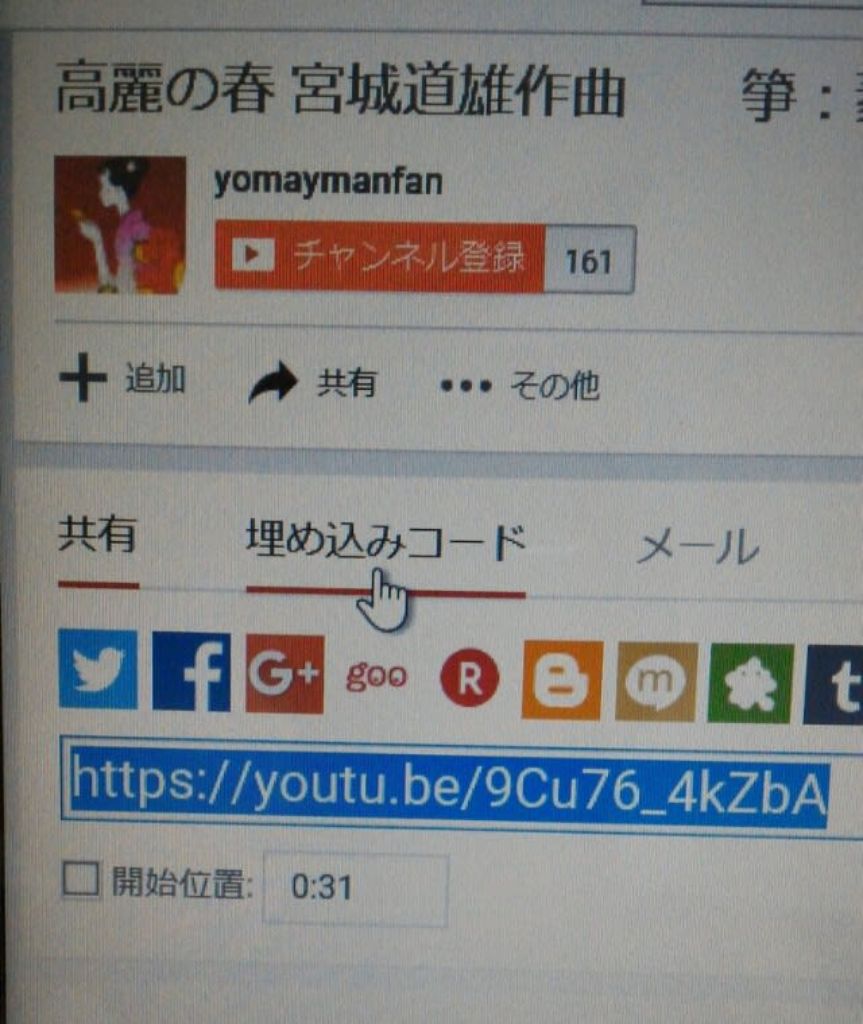
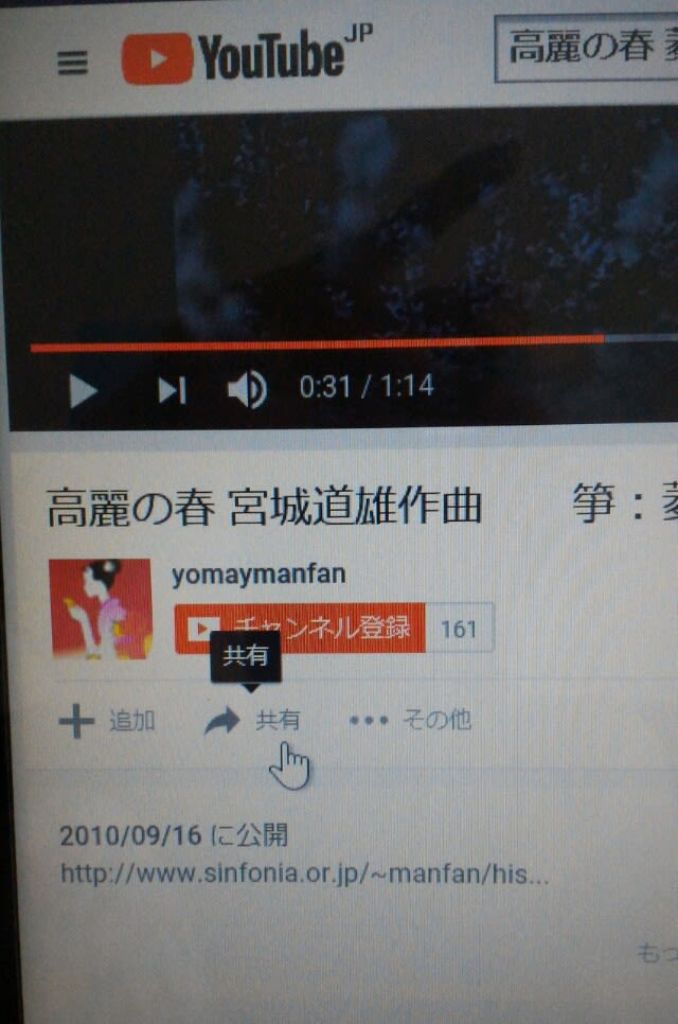
該当画面を開き「共有」を選択


「埋め込みコード」を選択


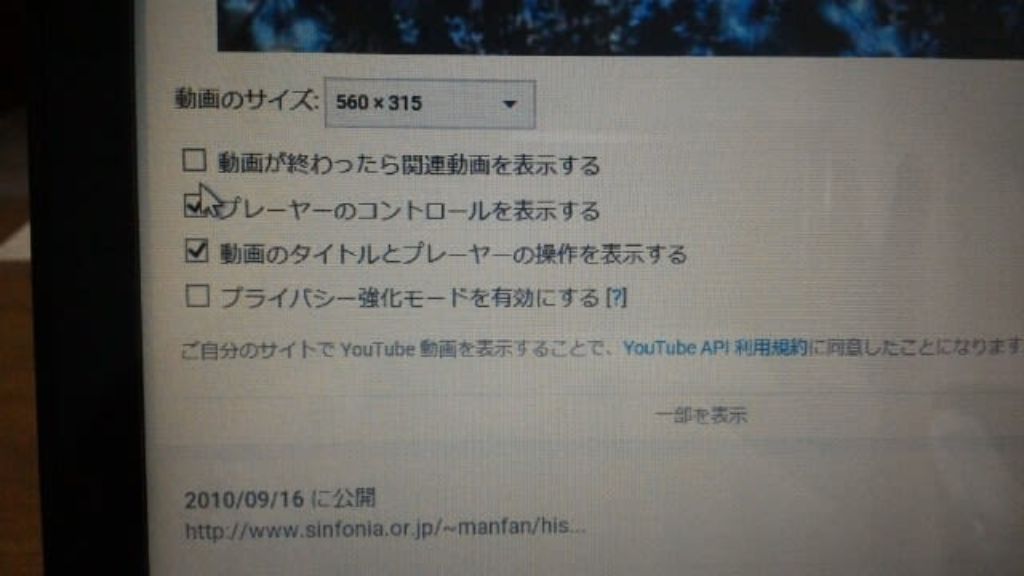
「もっと見る」を選択


「動画が終わったら関連動画を表示する」の「レ」を外す


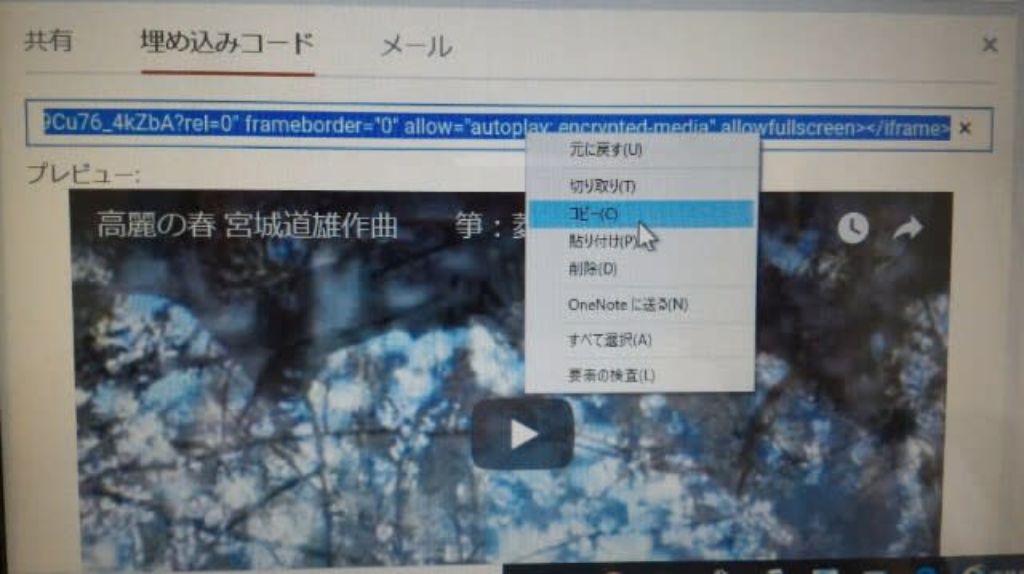
URLをコピーする


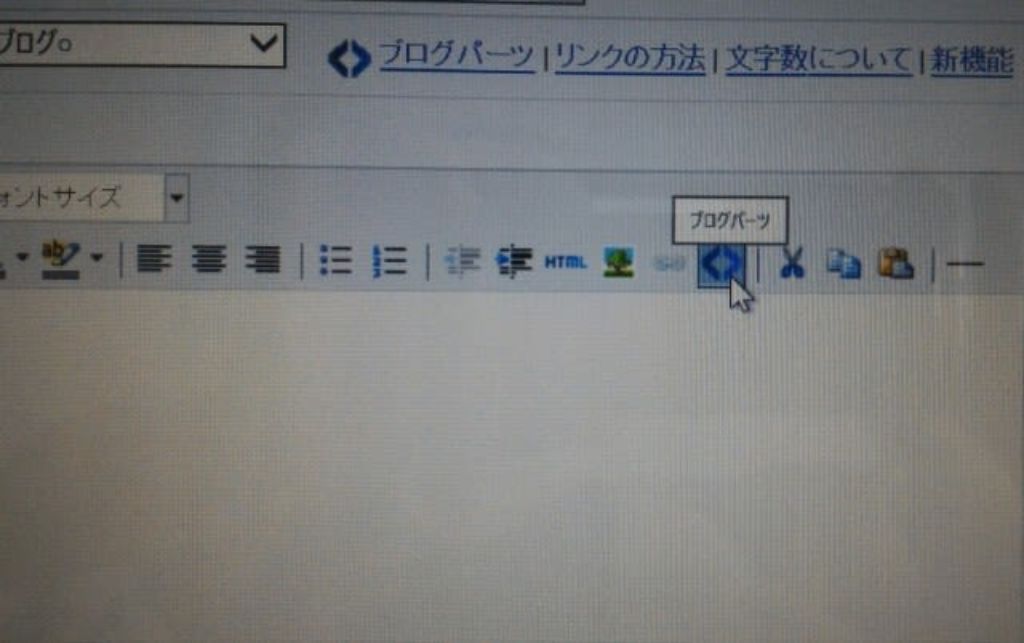
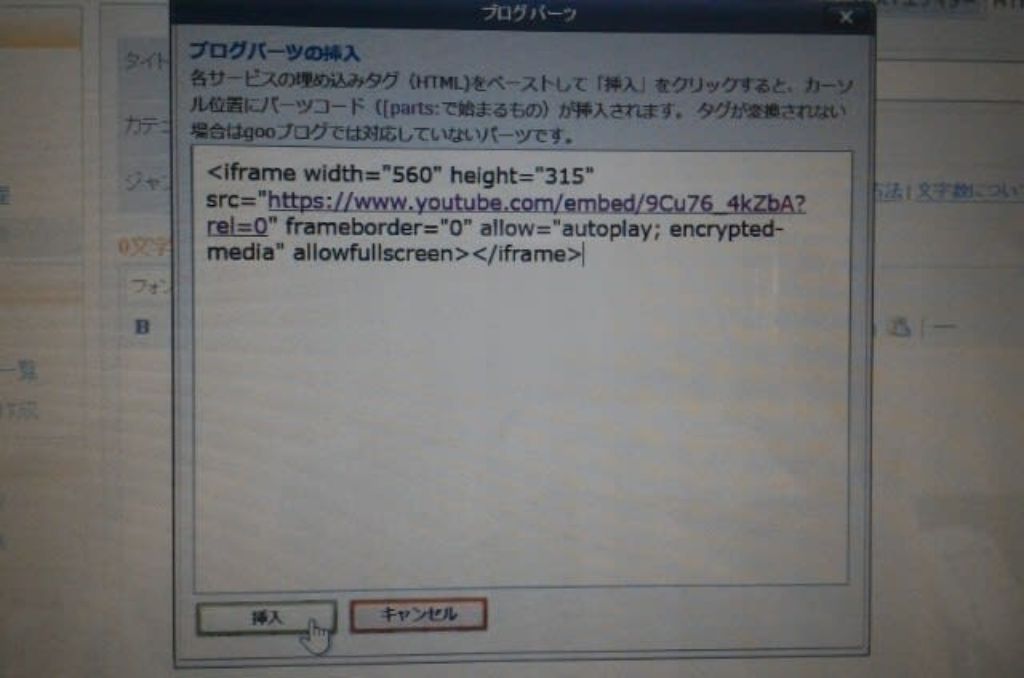
gooブログの投稿画面 上部にある「ブログバーツ」のボタンをクリック


コピーしたURLを貼り付け、挿入を選択して完了☆


お煎餅を いっぱい食べてしまった 

パソコン・備忘録, 未分類

2018.8.27
コメントはこちらからどうぞ


TOP

This website stores cookies on your computer. These cookies are used to provide a more personalized experience and to track your whereabouts around our website in compliance with the European General Data Protection Regulation. If you decide to to opt-out of any future tracking, a cookie will be setup in your browser to remember this choice for one year.

Accept or Deny